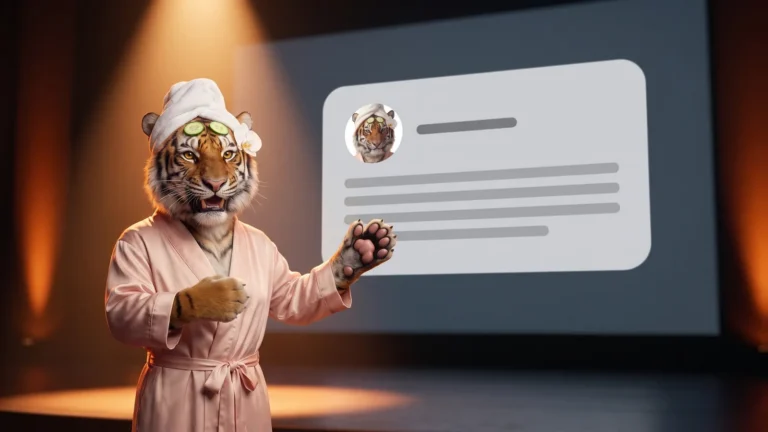
A featured snippet is a box above Google's links that shows a short passage from a webpage. Google chooses which page to quote, and a website owner cannot mark a page for one. Pages with clear, short answers near the top give Google featured snippets text it can quote.

Where featured snippets show up
Featured snippets are "special boxes" where the normal result format flips. The passage comes first and the link sits below it, according to Google Search Central. They can also appear inside the "People Also Ask" group of related questions. Google Search Help notes that featured snippets can also show up at the top of results or next to Knowledge Graph information.
How Google decides which page gets picked
Google shows a featured snippet when its systems judge that people want an answer. That answer is found in a short passage, according to Google Search Help. This is especially useful on phones and voice devices. Google picks passages based on how well they answer the search and how helpful they are. User feedback helps improve these choices over time. A website owner cannot request or buy a featured snippet. Google's systems decide whether a page fits a given search well enough to earn the spot. Clicking a featured snippet scrolls the visitor straight to the quoted section of the page, with no extra markup needed.
What to put on your pages
To write for Google featured snippets, put the question your customers ask as a heading. Answer it in the next two or three plain sentences before adding detail. Keep key answers in the page text, even when they also appear in images, videos or PDFs. Our guide on why Google rewrites page titles covers why Google changes the titles it shows. Make sure the page is indexed. It should not be blocked by a nosnippet tag or a tight max-snippet setting, unless that is what you want. Write from firsthand experience with your customers and keep facts accurate. If a snippet pulled from a page is wrong, Google Search Help points owners to the "Feedback" link shown under it.
Snippet policies and opting out
Featured snippets follow their own content policies. On civic, medical, or scientific topics, a quoted passage should not go against well-established expert consensus. A website with many snippets that break this policy can stop getting featured snippets altogether.
For opting out, a nosnippet tag blocks both featured and regular snippets. A data-nosnippet tag hides marked text from snippets. A lower max-snippet setting makes a featured snippet less likely. Google Search Central's guide to featured snippets does not publish an exact minimum length. Google does not guarantee a lower setting will block a snippet completely.
Featured snippets and AI Overviews
The nosnippet and max-snippet settings also apply to AI Overviews and AI Mode. They limit how much of a page can be used as direct input there. This is according to Google Search Central's guide to AI features. Google states, "There are no additional requirements to appear in AI Overviews or AI Mode." No special files, markup, or schema are needed. A page can appear as a supporting link in AI Overviews or AI Mode under certain conditions. It must be indexed and eligible to show in Search with a snippet.
Google's best practices for AI features ask website owners to allow crawling and use internal links. They also ask owners to keep important content in text form and make structured data match the visible text. Our guide to getting cited by AI answers covers AI answers and the websites they cite. Google Search Central's guide to helpful content also asks whether a page leaves readers feeling they can reach their goal. It asks whether the page shows firsthand experience or depth of knowledge.
Frequently asked questions
Can I tell Google to use my page as a featured snippet?
No, a website owner cannot request this. Google's systems decide if a page makes a good featured snippet for a given search.
How do I stop Google from showing a featured snippet from my page?
Adding a nosnippet tag blocks snippets completely. A lower max-snippet setting only makes a featured snippet less likely to appear.
Do featured snippets and AI Overviews follow the same rules?
Both draw from indexed pages that are eligible for snippets in Search. The nosnippet and max-snippet settings apply to featured snippets and to AI Overviews.
Do I need special code to show up in AI Overviews?
No. Google Search Central's guide to AI features states there are no additional requirements to appear in AI Overviews or AI Mode.
Where does a click on a featured snippet take a visitor?
Clicking a featured snippet scrolls the visitor straight to the quoted section of the page. No extra markup is needed to make this happen.
A featured snippet is Google's way of lifting a short, clear answer above the regular link. Only Google decides which page earns that spot. Writing plain, direct answers near the top of a page gives Google's systems something worth quoting.
See TygerLabs.ai's SEO, GEO and AEO services for help planning pages like these.